01
Target retrieval systems
Basic and Nucleus carriers move the target to any metre of the lane, at up to 3.5 m/s (Basic) or 7 m/s (Nucleus). You set distance and speed from the tablet.

A shooting range control system connects the devices on a range and runs them from one place: target retrieval systems, turning targets, scenario lighting, range sound and hit location. In the RangeTech system, that job belongs to RangeTech Master, our range control software. It runs on any phone, tablet or computer with nothing to install. One operator can run a single firing point, a group of lanes or the whole facility, in individual, group or scenario mode.
Book a demo
Contact
Tell us the number of lanes and the devices on your range and we will show how the control system runs them.
What the system controls
The range control system sends commands to each device and receives events back. Each device can work on its own, and the system links them into one exercise.
01
Basic and Nucleus carriers move the target to any metre of the lane, at up to 3.5 m/s (Basic) or 7 m/s (Nucleus). You set distance and speed from the tablet.
02
RotoTarget and the Nucleus turner rotate 720°: friend, foe, neutral or any angle. A turn can follow a hit, a timer or the next stage of a scenario.
03
RangeTech Light sets brightness from 0 to 100%, runs the strobe and switches between working light, dusk and darkness inside a scenario.
04
RangeTech Surround plays battlefield simulation, commands and announcements in the same scenario as the lights and targets.
05
RangeTech LOMAH shows every shot at the firing point in real time. Hit sensors on Nucleus and RotoTarget can start the next step of an exercise.
06
Firing authorisation linked to ventilation, range status signals, access control and an emergency STOP scenario, all in one place.
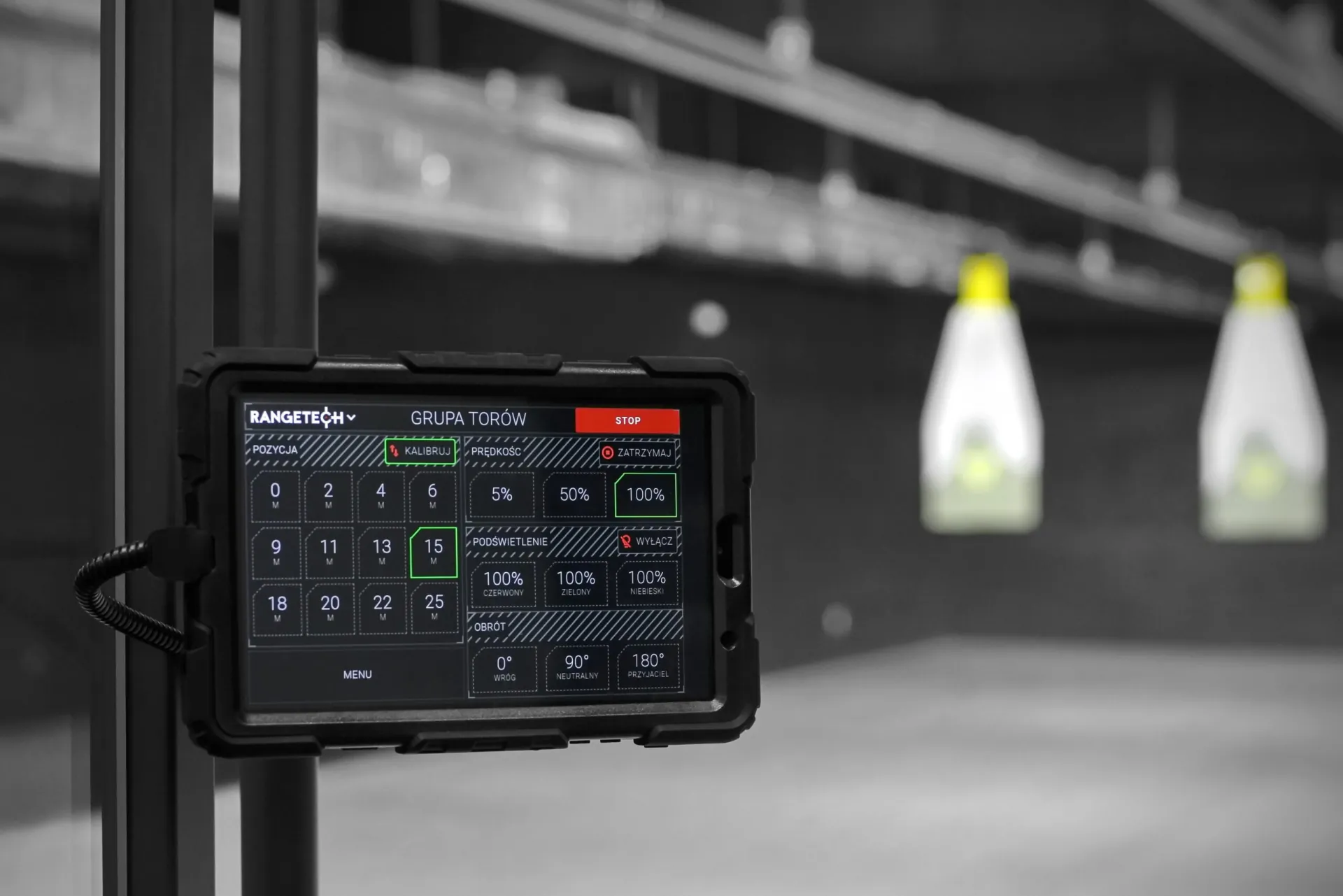 RangeTech Master
How it works
The range control software runs on any phone, tablet or computer, so there is nothing to install at the firing point. The operator picks a lane, a group of lanes or the whole facility and starts an individual exercise, a group exercise or a prepared scenario. A scenario combines target movement, rotation, lighting, sound and hit reactions into one synchronised exercise that starts with a single click.
Implementation
We agree the number of lanes, lane length, the devices on each lane and the building installations the system has to work with.
The designer gets the location of the control room, the network and power points and the mounting points for the devices.
We install the devices, network and lane control units and connect them to RangeTech Master. Then we prepare scenarios for the way you use the range.
We train operators and instructors, then support you with remote diagnostics, software updates and factory service.
Questions and answers
It is the layer that connects the devices of a range and runs them from one place: target retrieval systems, turning targets, lighting, sound, hit location and the building installations linked to firing. In the RangeTech system, RangeTech Master does this job.
No. RangeTech Master runs on any phone, tablet or computer with nothing to install.
Yes. The same system runs a single firing point, a group of lanes or the whole facility, from a container range to an indoor range with dozens of lanes. New lanes and devices join the same system.
Yes. This is a common part of shooting range modernisation. We audit the facility and replace the technology layer lane by lane, so the range stays open during the work.
It allows firing only while ventilation is running, signals the range status and gives you an emergency STOP scenario, all from one place.
Demo
Book a demo of RangeTech Master. Tell us about your facility and we will show you how the system would run it.
See also

Cookies
rangetech.eu can store analytics cookies in your browser, but only if you accept them. We use them to see which content people read and where visitors come from, and to improve the site. Details are in our privacy policy.